 Aitopkit
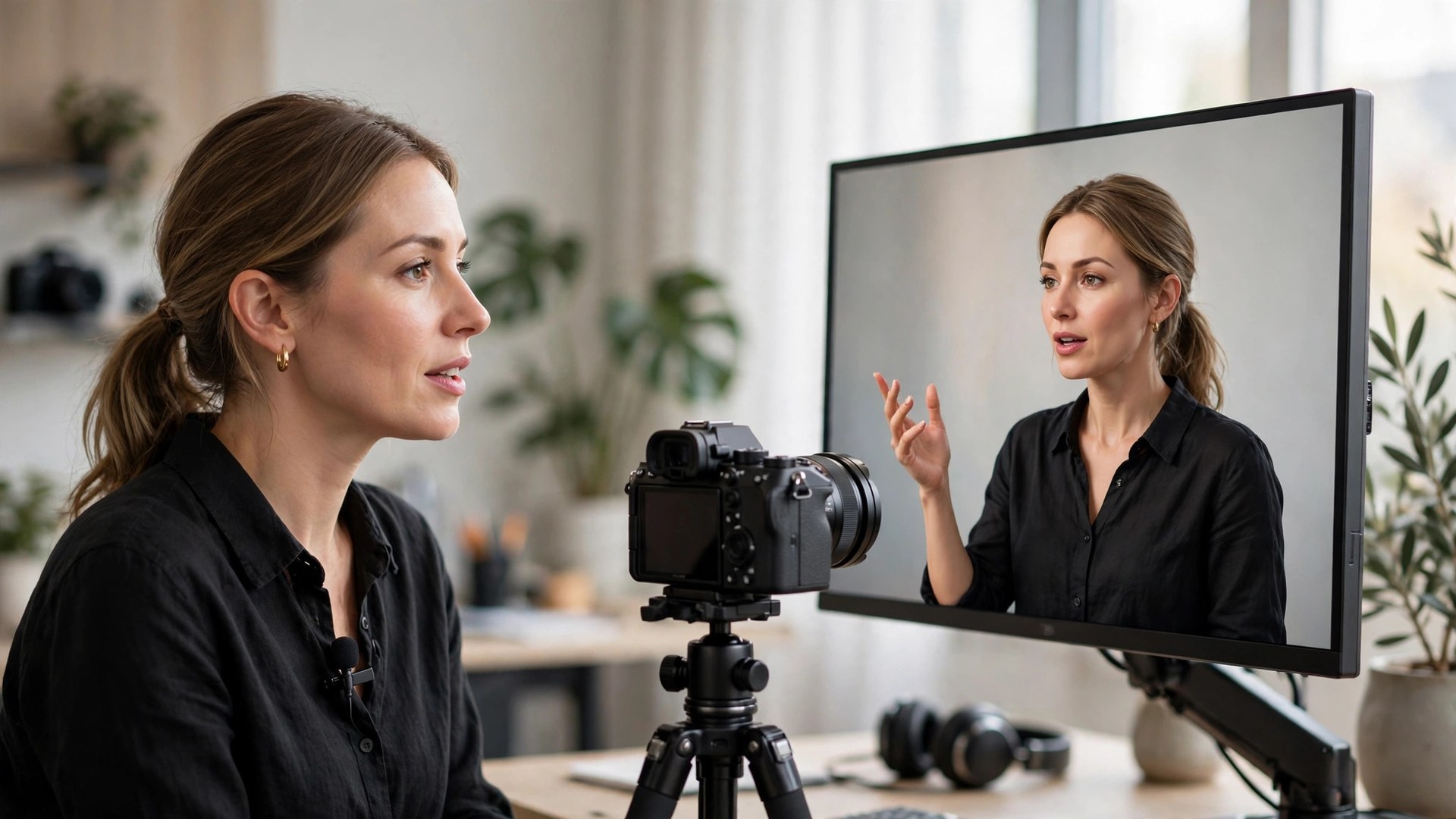
⚡ Quick verdict
- What it is → HeyGen Avatar 6, launched 17 November 2026, is HeyGen's newest audio-driven avatar model. It reads your script and generates gestures and expressions to match what is being said — pointing when you point something out, counting on its fingers through a list — instead of looping the same canned movements. It renders in native 2K and builds a personal avatar from as little as 30 seconds of video of you.
- The big claim → HeyGen says 84% of people in its own testing rated Avatar 6 as equally realistic as the real person it represents, and the model ranked first in New Measure's Avatar Arena. Both results come from HeyGen's own research or a test HeyGen entered — impressive, but not independent proof. The honest read: this is the most lifelike avatar model we have seen, not a perfect human replica.
- Who should try it → Creators, marketers and trainers who want a believable digital double of themselves for videos they would otherwise have to record again and again. If you make training videos, product explainers or a faceless YouTube channel with your own face on it, Avatar 6 is worth the free first video.
- The catch → Realism still has limits — long takes, fast hand movements and unusual angles can still give it away — and serious use means a paid plan. Reported pricing starts at $29 a month for 600 credits, but check the official site, because we could not confirm that figure on HeyGen's own pricing page at the time of writing.
We may earn a commission if you buy through our links, at no extra cost to you.
AI avatars have had the same tell for years. The face looks right, the lips mostly sync, and then the body gives it away: the same nod, the same hand wave, the same polite smile on a loop, no matter whether the script is a joke, a warning or a product demo. Viewers notice within seconds, even if they cannot say why. HeyGen's answer, launched on 17 November 2026, is Avatar 6 — a model that tries to fix the movement problem rather than the face problem.
The idea is simple to describe and hard to build. Instead of animating a face to match an audio track, Avatar 6 interprets the context and delivery of the speech and generates the movement that would go with it. Say "first, second, third" and the avatar counts on its fingers. Point at something in the script and it points. Shift tone and the expression shifts with it. HeyGen calls it its smartest and most powerful avatar model yet, and the early numbers — first place in a blind head-to-head arena and an 84% realism score in its own testing — suggest it is a genuine step forward rather than a version-number bump.
This is a researched review, not a lab test. We have not generated identical scripts across every avatar platform and scored them blind. Instead, this review is built from HeyGen's launch announcement and technical report, its product and API documentation, and same-day independent coverage of the launch — the same sources you would check yourself — organised into honest verdicts. Where HeyGen makes a claim about its own product, we say so, and where a number comes from HeyGen's own testing rather than an independent lab, we flag it. If you want the wider category first, our best AI avatar generators roundup covers the whole field, and our Synthesia vs HeyGen comparison puts Avatar 6's platform head-to-head with its biggest rival.
What is HeyGen Avatar 6?
Avatar 6 is HeyGen's sixth-generation personal avatar model, and it is a different kind of upgrade from the ones before it. Earlier avatar models — HeyGen's own Avatar IV and Avatar V included — were mostly judged on how much the face looked like the person. Avatar 6 is judged on how the person moves. It is an audio-driven, context-aware model: it takes your script and your voice, and it decides the gestures, expressions and delivery from the meaning of the words, not from a library of pre-recorded moves.
The technical change that makes that possible is a tenfold increase in the model's runtime context window, from about 3 seconds to about 30 seconds. That sounds abstract, but it is the whole story. With only 3 seconds of context, a model can sync lips to the current syllable and not much else — so it falls back on the same gestures again and again, and the movement looks looped. With 30 seconds of context, the model can see the sentence it is in, the sentence coming next, and the tone of the whole passage, and it can vary the movement to fit. A greeting gets a wave. A list gets counted fingers. A serious point gets a stiller, more deliberate delivery. HeyGen says the result is more realistic and more varied movement based on each user's actual footage, with improved lip synchronisation as well.
That matters because the uncanny valley for avatars was never really about the face. Modern avatar faces are good — often good enough that a still frame passes without a second look. The valley lives in motion: the rhythm of a head tilt, the timing of a hand gesture, the way a real person pauses and breathes between thoughts. Those are the things Avatar 6 is built to reproduce, and they are the things a viewer judges unconsciously in the first five seconds of a video.
What is new in Avatar 6
Here is what actually changed on 17 November 2026, separated from the marketing language.
Script-aware gestures. This is the headline feature. Avatar 6 uses the meaning of your script to decide where gestures fit — pointing, counting, directional movement — and times them to the relevant words. You can also prompt the model directly: specify a mood, a facial expression or a hand movement, or write a motion prompt that attaches an action to a particular phrase, such as waving during a greeting or counting on the fingers through a list. The motion planner times those actions to the words while preserving the subject's characteristic movement between them. In practice, that means the avatar is no longer choosing from a fixed gesture menu; it is composing movement from the script.
Native 2K output. Every frame is generated in native 2K, and exports are available at 1080p or 2K, according to HeyGen. That is a real quality step for anyone publishing to YouTube or embedding videos on a landing page, where 1080p is the floor and sharper source footage survives compression better. Note the API detail, though: HeyGen's API documentation lists Avatar 6 and a faster Avatar 6 Turbo variant, with 1080p as the default resolution — so developers should check the render settings rather than assuming 2K comes out of the box.
Two-avatar scenes. Avatar 6 can place two avatars in one frame for a host-and-guest conversation. That is a genuinely new format for avatar video: interviews, co-hosted explainers, and dialogue-led training content that used to need either two recordings or a single presenter talking to the camera. We have not seen independent reviews of how natural the two-avatar timing looks yet, so treat this as promising rather than proven.
Long-form, unlooped output. HeyGen's demonstrations include continuous videos lasting 25 to 28 minutes, each generated from one audio track without loops, so the running time follows the speech. Earlier avatar tools often worked best on short clips and started to repeat themselves on longer takes; if the 25-minute demos hold up in real use, Avatar 6 becomes usable for full training modules and webinars, not just 60-second clips.
Recorded-video editing. The recorded-video editor can replace words or add a gesture while regenerating only the edited span, with new speech synthesised in the person's voice. That is a practical workflow win: fix one wrong sentence in a ten-minute training video without re-recording or regenerating the whole thing. It is also the feature most likely to be underused — most creators will only discover it after their first mistake.
Motion presets. Alongside the free-form prompting, HeyGen's Avatar Video flow now offers a Gestures panel where you can pick up to three gestures — point, thumbs up, hand on heart, peace sign, OK sign, open arms, fist pump — and HeyGen places them where they best fit your script. Think of it as training wheels for the script-aware system: you get some control without writing motion prompts yourself.
Automatic upgrade. Existing HeyGen Personal Avatars upgrade to Avatar 6 automatically, with no need to record new footage. That is good news if you already have a HeyGen avatar — your existing videos do not need to be rebuilt — but it also means your avatar's look may change slightly without you asking, so check a fresh render before you ship client work on the new model.
How to build your avatar with Avatar 6
Getting started is the part HeyGen has made deliberately low-friction, and it is one of the model's genuine strengths. You do not need a studio, a green screen or a long recording session.
Step 1: record a short video of yourself. HeyGen says as little as 30 seconds of recorded video is enough to create a personal avatar, although more footage helps the system generate a wider variety of realistic movements. The practical advice from HeyGen's own guidance is to record in good light, facing the camera, speaking naturally — the model is learning your mannerisms, so a stiff, scripted read produces a stiff avatar. If you already have footage of yourself presenting, that works too.
Step 2: or start from a photo. Avatar 6 can generate video of a specific person from a single photograph, with an optional short identity recording. That lowers the bar further — a good headshot plus a short clip is enough to get going — but a photo-only avatar will have less of your personal movement to learn from, so expect a more generic result than one built from real video of you.
Step 3: connect your social accounts (optional). HeyGen lets you connect your YouTube, Instagram or TikTok account so the model can draw on your existing content to understand how you naturally communicate. This is optional, and it is worth thinking about before you do it: you are giving HeyGen access to your content library in exchange for a more personal avatar. For a creator whose whole brand is their on-camera style, the trade is probably worth it. For a one-off training video, it is not necessary.
Step 4: verify your identity. HeyGen requires live identity verification and explicit consent before it will create a realistic avatar of a real person. You cannot build an avatar of someone else without them — the system is designed to block it. Expect a verification step involving a live check, and keep in mind that this is a feature, not a bug: the same guardrail is what stops someone else from cloning you.
Step 5: write a script and generate. Once the avatar exists, you type or paste a script, pick a voice (your cloned voice or a stock voice), add any motion prompts or gesture presets, and generate. The model produces the video from the audio — no camera, no retakes, no editing timeline unless you want one. Avatar 6 is available in HeyGen's web app, mobile app and API, so the same avatar works whether you are making one video by hand or generating hundreds programmatically.
One honest note on the 30-second claim: "enough to create an avatar" and "enough to create a great avatar" are different things. HeyGen itself says additional footage helps the system generate a wider variety of movements, and that matches how these models work — more of you in, more of you out. If the avatar is going to be the face of your channel or your company's training library, record several minutes across different tones rather than the minimum 30 seconds.
The 84% realism claim — read it carefully
Every launch has a headline number, and Avatar 6's is 84%. HeyGen says that in its own Turing-style testing, 84% of participants rated the Avatar 6 video as equally realistic as the real person it represents. Some coverage phrases it as "84% of people could not tell the avatar from a real person," which is a slightly stronger reading than what HeyGen actually published. The distinction matters, and it is worth unpacking, because this number will be quoted everywhere.
Here is what we know about how the number was produced. According to HeyGen's technical report, published 17 November 2026, the test compared recorded human footage with AI-generated avatar video. The more precise figure reported in independent coverage of that report is an 84.4% indistinguishability score, built from a specific result: external raters selected Avatar 6 as the real recording in 42.2% of 270 side-by-side answers. Read that again — in a side-by-side test where one video is real and one is generated, random guessing would pick the avatar about 50% of the time. The raters picked the avatar as real 42.2% of the time, which is close to chance, and that is genuinely impressive for an AI avatar. It is not the same as "84% of people were fooled," and the 84.4% figure is HeyGen's own derived score, not a raw pass rate.
The second piece of evidence is New Measure's Avatar Arena, a blind head-to-head test in which voters preferred HeyGen's avatar model over competitors, putting it first in both categories — with Elo-scale preference scores of 1,197 for personal avatars and 1,237 for stock presenters, based on votes counted between 27 October and 16 November 2026. That is a real result from an outside platform, and first place in both categories is a strong signal. But it is a preference ranking, not a realism measurement: voters picked the avatar they liked best, which is not quite the same as failing to spot the fake. It also covers the pre-launch period, when Avatar 6 was in early access for enterprise workspaces ahead of its public launch.
So what should you actually believe? Three things, stated plainly. First, Avatar 6 is very likely the most realistic avatar model available right now — the Arena ranking and the near-chance side-by-side result both point the same way, and HeyGen's competitors have not published comparable numbers. Second, "most realistic" is not "indistinguishable": a sizeable minority of raters could still tell, and your own viewers will be watching a video they know is AI-generated, which changes how closely they look. Third, neither test is a fully independent lab study — the Turing-style test was HeyGen's own research, and the Arena is a leaderboard HeyGen entered. We are not saying the numbers are wrong. We are saying they are vendor numbers, and vendor numbers deserve a footnote, not a headline.
The practical test is simpler than any of this. Generate the free first video, show it to someone who knows you, and ask them what looks off. They will find something — the hands, the blink timing, a gesture that arrives half a beat late — and that something tells you more about whether Avatar 6 works for your use case than any Elo score will.
HeyGen Avatar 6 pricing and free tier
Pricing is the part of this review we could verify least, and we want to be upfront about that. HeyGen's launch announcement focuses on the model, not the price list, and the pricing page is the kind of page that changes without notice.
Here is what we can say with confidence. HeyGen says the first video is free — that is stated in launch coverage and matches HeyGen's long-standing free tier, which lets new users try the product before paying. Existing Personal Avatars upgrade to Avatar 6 automatically at no extra charge, according to HeyGen, so current subscribers do not pay more for the new model itself.
For paid plans, third-party coverage of the 17 November 2026 launch reports plans starting at $29 a month for 600 credits. We could not confirm that figure on HeyGen's own pricing page at the time of writing, so treat it as reported, not verified, and check the official site before you buy. Credit-based pricing is the honest trade-off to understand: you pay for generation credits, not for unlimited video, so a heavy user making long training videos will burn through credits faster than a creator making one short clip a week. Longer videos, 2K exports and re-generations all cost more credits, and the free tier is for evaluation — not for commercial production.
Our advice is the same as for every credit-priced AI tool. Start with the free first video and a small paid plan if you need one, generate a real project end to end, and only then judge whether the credit economics work for your volume. Check the official pricing page for current plans, credit allowances and commercial-use terms, because all three change often. And if you are comparing costs across platforms, remember to compare like with like: a per-video cost on HeyGen against a per-minute cost on a competitor is not a comparison.
Pricing changes often — treat every figure above as a snapshot from November 2026 and check the official site before buying.
Avatar 6 vs Avatar 5: what actually changed
If you already use HeyGen, the question is not whether Avatar 6 is good in the abstract — it is whether it is worth switching your workflow to it. The short answer is yes, and the switch is automatic, so the real question is what you get.
- Movement: Avatar 5 looked like you but reused the same gestures. Avatar 6 follows the content of your script, with a runtime context window ten times larger — about 30 seconds instead of about 3. This is the change you will actually see on screen.
- Resolution: Avatar 6 generates in native 2K with 1080p or 2K exports. Avatar IV and Avatar V rendered at 1080p, and HeyGen's own release notes confirm 4K export is no longer offered for drafts using those older models. If you were exporting at 4K from Avatar V, check the new export options before you promise a client 4K delivery.
- Scenes: two-avatar host-and-guest conversations are new to Avatar 6. Avatar 5 was a single-presenter tool.
- Control: motion prompts and the Gestures panel (up to three picked gestures placed to fit your script) are new. Avatar 5 gave you far less say over what the avatar's hands did.
- Editing: the recorded-video editor that regenerates only the edited span is part of the Avatar 6-era toolset, and it changes the cost of fixing mistakes.
- What did not change: the avatar creation flow, the identity verification requirement, and the credit-based pricing model all carry over. Your existing Personal Avatars upgrade automatically.
The honest summary: Avatar 5 was a likeness tool; Avatar 6 is a performance tool. If your videos are short, scripted and single-presenter, the difference will show up as more natural movement and fewer "that looks AI" moments. If your videos are long-form training or dialogue-led, the difference is bigger — those are the formats where Avatar 5's repeated gestures were most visible.
HeyGen Avatar 6 vs Synthesia: which is better?
Synthesia is the name most buyers compare HeyGen against, and the comparison is worth doing properly, because the two tools are built for different buyers who happen to overlap. Our full Synthesia vs HeyGen comparison walks through both platforms in detail; here is the short version as it stands after the Avatar 6 launch.
Avatar 6 is the stronger pick if you want the most lifelike personal avatar of yourself. A digital double for your training videos, your marketing content or your YouTube channel is exactly what HeyGen is built for, and script-aware gestures plus native 2K output widen a lead Synthesia has not matched with a comparable launch. If the video needs to feel like you recorded it yourself, HeyGen is the better tool today.
Synthesia is the stronger pick for corporate teams that need a governed, collaborative workflow rather than a personal double. Its strengths are templates, branded stock presenters, team workspaces, review and approval flows, and SCORM-friendly exports for learning management systems. A training department producing 200 modules in six languages with three reviewers will get more from Synthesia's structure than from HeyGen's realism. Synthesia's avatars are also stock presenters by design — professional, consistent, and deliberately not a clone of any one employee — which suits companies that do not want their videos tied to a single person's face.
Price is harder to compare cleanly, because both tools price by credits or minutes and both change their plans often — check the official sites. But the decision rule is simple: buy HeyGen when the video should look like you; buy Synthesia when the video should look like your company. Many teams end up using both, and that is a reasonable answer rather than a cop-out.
Two other alternatives are worth a sentence each. If your priority is a free or very cheap avatar for occasional use, our best AI avatar generators roundup includes budget options that beat HeyGen on price while trailing it on realism. And if your videos need full AI-generated scenes rather than a presenter — b-roll, product shots, cinematic footage — that is a different category entirely, covered in our best AI video generators roundup. Avatar 6 makes a presenter; it does not make a movie.
Who HeyGen Avatar 6 is for — and who should skip it
Course creators and trainers. This is the strongest use case. If you record the same onboarding module, product walkthrough or compliance training every quarter, Avatar 6 turns a script update into a new video without a recording session. The recorded-video editor — fix one sentence without regenerating the whole video — is built for exactly this workflow. The 25-to-28-minute continuous demos suggest long modules are now viable, though we would test a full-length module yourself before committing a whole course to the model.
YouTubers and content creators. If your channel is your face and your bottleneck is recording time, a digital double that gestures like you do is a real productivity gain. The honest caveat is disclosure: audiences react badly to undisclosed AI presenters, and YouTube's own policies expect AI-generated content to be labelled. Use the avatar openly and it is a tool; hide it and it becomes a trust problem.
Marketers and small businesses. Product explainers, landing-page videos, personalised outreach clips and multilingual versions of the same message are all strong fits — especially since one avatar can deliver the same script in multiple languages without re-recording. For video SEO, by the way, the video itself is only half the job: our best AI SEO tools roundup covers the tooling that gets a video found once it exists.
Agencies and API users. Avatar 6 is available through the API, with heygen-avatar-6 and a faster heygen-avatar-6-turbo variant listed in HeyGen's API documentation. If you generate personalised video at scale — sales outreach, onboarding, customer updates — the API is the point. But read the API limits before you build: the Application API supports Avatar 6 only for single-avatar requests, excluding raw-image jobs, studio scenes, batch creation and scene editing, and the API default resolution is 1080p rather than 2K. Those limits may not matter for your use case, but they will matter a lot if you discover them after building.
Who should skip it. Skip Avatar 6 if you need a one-off video and have a camera — recording yourself once is free, and no avatar beats the real thing yet. Skip it if your content is highly physical or expressive — dance, sport, theatre — because hand and body movement is still where avatars fail first. And skip it if you are uncomfortable with the consent and data implications of handing a company video of your face: the identity verification is a safeguard, but the underlying bargain — your likeness as training data for your own avatar — is one you should make knowingly.
HeyGen Avatar 6
Strengths
- Script-aware gestures that follow the meaning of your words — the first avatar model to fix the movement problem rather than the face problem.
- Native 2K generation with 1080p or 2K exports, a real quality step for YouTube and landing pages.
- Build a personal avatar from as little as 30 seconds of video, or from a single photo plus a short recording.
- First place in New Measure's Avatar Arena in both categories, with a near-chance result in HeyGen's own side-by-side realism test.
- Two-avatar scenes open up interviews and co-hosted formats no earlier HeyGen model could do.
- Recorded-video editor regenerates only the edited span, so fixing one sentence is cheap.
- Existing Personal Avatars upgrade automatically — no re-recording needed.
Weaknesses
- The 84% realism figure comes from HeyGen's own testing, not an independent lab — and the underlying 42.2% side-by-side result shows many raters could still tell.
- Long takes, fast hand movements and unusual angles can still give the avatar away.
- Credit-based pricing means long videos, 2K exports and re-generations add up; the $29-a-month figure is reported, not verified on HeyGen's own pricing page.
- API limits are real: single-avatar requests only, no raw-image jobs, studio scenes or batch creation, and 1080p is the API default.
- 4K export is no longer offered for drafts using the older Avatar IV and Avatar V models.
- Identity verification and consent steps add friction the first time you set up — necessary, but slower than a tool with no guardrails.
Limitations and risks to know before you buy
The uncanny valley moved, it did not disappear. Avatar 6 is better at movement than anything before it, but "better" is not "solved." Watch the demos closely and you will still see it: a gesture that arrives a fraction late, a hand that moves a little too smoothly, an expression that holds a beat too long. At 25 minutes, small errors accumulate. For a training video your employees watch once, that is fine. For a flagship brand video your customers will replay, get a second pair of eyes on it first.
Two-avatar scenes are unproven. Host-and-guest conversations in one frame are a new format, and we have not seen independent reviews of how natural the turn-taking looks. The risk is a conversation where both avatars nod at the wrong moments. Test it on an internal video before you publish a customer-facing interview.
Your likeness is the product. Building a personal avatar means giving HeyGen video of your face and voice and permission to generate new video of you saying things you never said. HeyGen's identity verification and consent requirements are genuine safeguards, but read the terms on data retention and model training before you upload. If you leave HeyGen, check what happens to your avatar and your source footage — and keep your consent records if you create avatars of anyone else, including employees.
Misuse is the shadow over the whole category. The same technology that lets a trainer update a course without re-recording lets a scammer put words in a CEO's mouth. HeyGen's verification steps are part of the answer, but no verification system is perfect, and the category will face regulation. If you publish avatar video, label it as AI-generated — it is the honest thing to do, and it protects you when your audience eventually asks.
Credits reward short videos. The credit model quietly shapes what you make: short clips are cheap, long modules are expensive, and every re-generation costs. Budget for two or three generations per finished video while you learn the prompting, and check the official pricing page for how credits map to minutes at 2K before you commit to a plan.
How to get the best results from Avatar 6
Avatar 6 rewards good input more than earlier models did, because it has more of your footage and more of your script to work with. A few practical habits make a visible difference.
Record more than the minimum. Thirty seconds will create an avatar, but it will not create your best avatar. Record several minutes across different tones — a warm greeting, a serious explanation, an energetic pitch — so the model has a range of your movement to learn from. Vary your pace and your gestures while you record. The model can only reproduce what it has seen, and a single flat read gives it one note to play.
Write scripts that give the model something to do. Avatar 6's advantage is that it gestures from meaning, so write like a person speaking, not like a document being read. Short sentences, clear structure, natural lists — "first, second, third" — and concrete verbs all give the motion planner material to work with. A dense paragraph of abstract nouns gives it nothing, and the avatar will stand still, which is exactly the look you are trying to avoid.
Use motion prompts sparingly. The temptation with a new control is to use it everywhere: a wave here, a thumbs-up there, a hand on the heart for emphasis. Resist it. One or two prompted gestures per minute is plenty — the model is already generating movement from the script, and over-prompting produces the same canned feeling the model was built to remove. Save the explicit prompts for the moments that matter, such as the greeting and the call to action.
Test long takes before you commit. The 25-to-28-minute demos are impressive, but your script is not HeyGen's demo script. Generate a full-length test of your longest format — a training module, a webinar segment — and watch it end to end before you build a course around it. Look for the things that accumulate: gesture repetition in minute fifteen, lip-sync drift on fast passages, an expression that freezes during a pause. Finding them in a test costs one generation; finding them after publishing costs your credibility.
Check the export before you promise it. Native 2K generation is real, but the export you get depends on where you generate: the web app, the mobile app and the API do not all default to the same resolution, and the API default is 1080p. If a client expects 2K delivery, confirm the export setting on your first render rather than assuming it. And remember that 4K export is no longer offered for drafts using the older Avatar IV and Avatar V models — if you are migrating old projects, re-check their export options.
Label the avatar. Say on screen or in the description that the presenter is an AI avatar. Audiences forgive a labelled avatar and resent a hidden one, and YouTube's policies expect AI-generated content to be disclosed. Labelling also protects you in the other direction: if someone later claims a video of "you" said something you never said, the label is part of your record that avatar videos are a known, disclosed format on your channel.
Our verdict
HeyGen Avatar 6 is the most convincing AI avatar we have seen, and the reason is not the face — it is the movement. Script-aware gestures, a tenfold larger context window and native 2K output add up to a presenter that finally moves like the person it represents instead of looping the same polite nod. The first-place Avatar Arena ranking and the near-chance side-by-side test result both point the same way, even after you discount them for being vendor-adjacent numbers.
But the honest verdict has a second half. Avatar 6 is not indistinguishable from a real person, whatever the headline number suggests — HeyGen's own underlying data shows a sizeable minority of raters could still tell — and the remaining tells live in long takes, fast hands and unusual angles. Pricing is credit-based and partly unverified at the time of writing, the API has real limits, and the consent and likeness questions deserve a proper read of the terms before you upload your face.
Our recommendation: try the free first video with a script you actually need — a training intro, a product update, a channel segment — and show it to someone who knows you. If they watch thirty seconds before noticing anything off, Avatar 6 will save you real recording time. If they spot it in five seconds, your use case is one of the ones the model has not solved yet, and a camera is still the better tool. Either way, you will have spent nothing and learned exactly where the line is.
For creators, trainers and marketers who live on camera, that free test is the easiest decision in this review. For everyone else, the category is moving fast enough that waiting six months costs little — but Avatar 6 is the first version where waiting feels optional rather than wise.
Frequently asked questions
Is HeyGen Avatar 6 really indistinguishable from a real person?
Not quite — and HeyGen's own numbers say so if you read them closely. HeyGen reports that in its own Turing-style test, 84% of participants rated the Avatar 6 video as equally realistic as the real person it represents, and its Avatar Arena entry scored 1,197 Elo for personal avatars and 1,237 for stock presenters. But that testing was run by HeyGen itself, not an independent lab, and the underlying detail — external raters picked the avatar as the real recording in 42.2% of 270 side-by-side answers — shows a sizeable minority could still tell. Treat Avatar 6 as the most lifelike avatar model we have seen, not as a perfect human replica.
How do I create an avatar with Avatar 6?
You build a Personal Avatar from a short recording of yourself — HeyGen says as little as 30 seconds of video is enough, though more footage gives the model a wider range of your movements to learn from. You can also start from a single photo plus a short identity recording, or connect your YouTube, Instagram or TikTok account so the model can learn how you naturally speak and move. HeyGen requires live identity verification and explicit consent before it will create a realistic avatar of a real person, so you cannot build an avatar of someone else without them.
How much does HeyGen Avatar 6 cost?
HeyGen says the first video is free, and third-party coverage of the 17 November 2026 launch reports paid plans starting at $29 a month for 600 credits — but we could not confirm that figure on HeyGen's own pricing page at the time of writing, so check the official site before you buy. Existing Personal Avatars upgrade to Avatar 6 automatically at no extra charge, according to HeyGen. Pricing and credit allowances change often, and the free tier is for trying the product, not for commercial production.
What is new in Avatar 6 compared with Avatar 5?
The headline change is movement that follows the script. Avatar 6 is audio-driven and context-aware: it reads the meaning of your words and generates gestures to match — pointing, counting, directional motion — instead of reusing a fixed set of gestures. HeyGen says the model's runtime context window grew tenfold, from about 3 seconds to about 30 seconds, which is what makes the movement more varied. It also renders in native 2K, supports two-avatar scenes for host-and-guest conversations, and lets you prompt mood, expression and hand movement or attach a motion prompt to a specific phrase.
HeyGen Avatar 6 or Synthesia — which is better?
It depends on the job. Avatar 6 is the stronger pick if you want the most lifelike personal avatar of yourself — a digital double for training videos, marketing or a YouTube channel — because its script-aware gestures and 2K output are built for realism. Synthesia is the stronger pick for corporate teams that need templates, collaboration, branded stock presenters and a governed workflow rather than a personal double. Our full Synthesia vs HeyGen comparison walks through both in detail.
Can I use Avatar 6 videos commercially?
Yes, on a paid plan — but read the license terms on HeyGen's official site first, because commercial rights depend on the plan you buy and the free tier is for evaluation. You also need to follow HeyGen's consent rules: realistic avatars of real people require that person's verified consent, and HeyGen blocks avatar creation without it. If you are making client work, ads or monetised videos, keep your consent records and use a paid plan with commercial rights.